
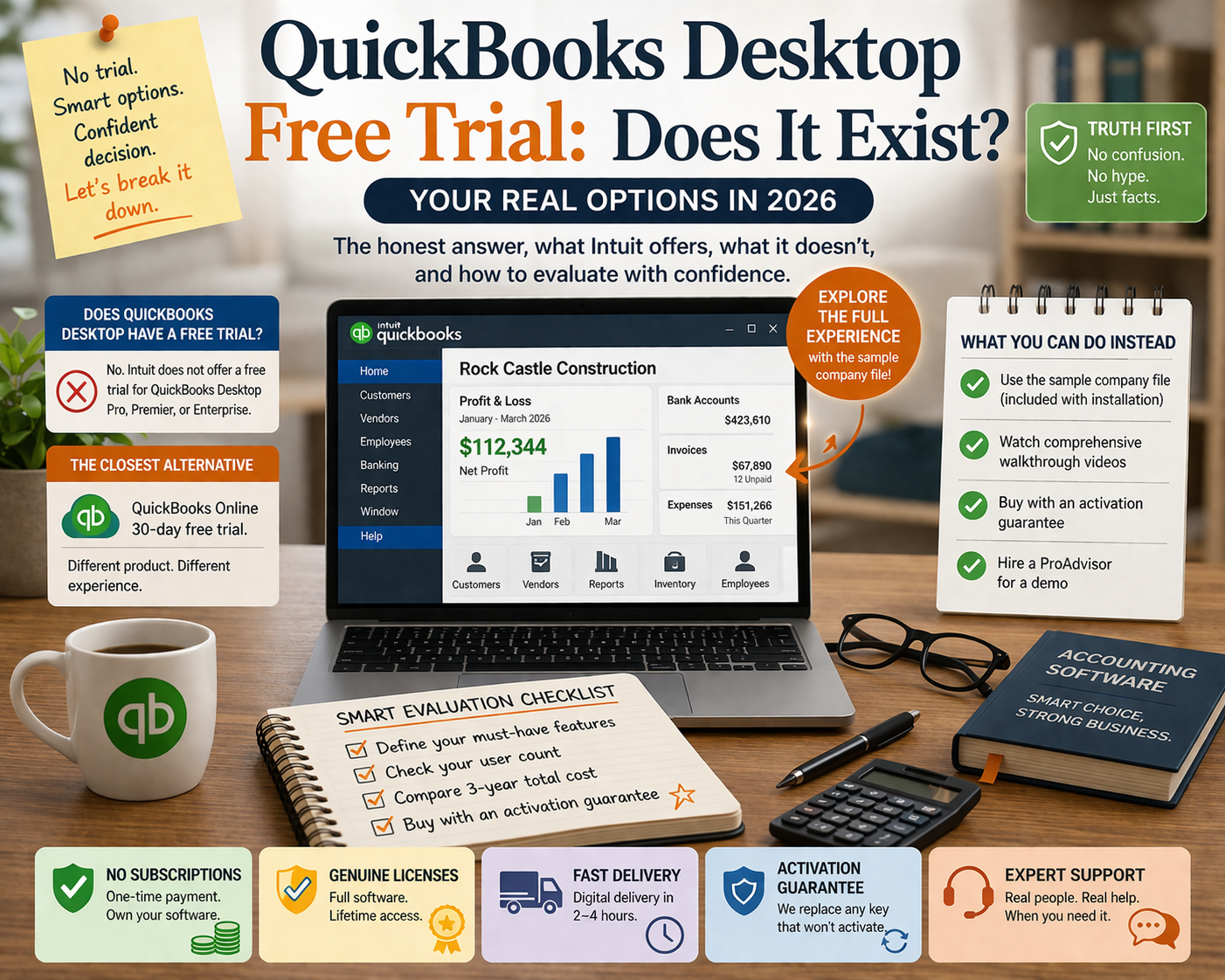
QuickBooks Desktop Free Trial: Does It Exist and What Are Your Real Options in 2026?
The honest answer to whether you can try QuickBooks Desktop before buying — what Intuit currently offers, what it doesn’t, and the best alternatives to a trial for making a confident purchase decision.
If you’ve been searching for a QuickBooks Desktop free trial, you’re not alone. It’s one of the most common questions from small business owners evaluating accounting software. The answer in 2026 is more complicated than a simple yes or no — and understanding the nuance will help you make a smarter buying decision.
This guide covers exactly what trial options exist, what they actually let you do, and how to evaluate QuickBooks Desktop confidently without needing a full trial.
📋 Table of Contents
- Does QuickBooks Desktop Have a Free Trial in 2026?
- The QuickBooks Online 30-Day Trial — What It Is and Isn’t
- Why Intuit Doesn’t Offer a True Desktop Trial
- What You Can Do Instead of a Trial
- Using the QuickBooks Desktop Sample Company File
- What Desktop Includes: Full Feature Overview
- QuickBooks Desktop vs QuickBooks Online: Key Differences
- How to Make a Confident Buying Decision Without a Trial
- Frequently Asked Questions
1. Does QuickBooks Desktop Have a Free Trial in 2026?
No — QuickBooks Desktop does not offer a traditional free trial as of 2026. Intuit does not provide a time-limited free version of QuickBooks Desktop Pro, Premier, or Enterprise that you can download, use with your own data, and then decide whether to buy.
This has been the case for several years and reflects a deliberate strategy: Intuit wants new users to try QuickBooks Online (which does have a trial), not Desktop. The 2024 decision to stop selling new Desktop Pro and Premier licenses through Intuit’s own retail channel is part of the same push toward their cloud platform.
💡 The short version: There is no QuickBooks Desktop free trial. The closest alternatives are the QuickBooks Online 30-day trial (a different product), the built-in sample company file (for exploring the interface), and the option to purchase a genuine perpetual license with an activation guarantee — which removes the financial risk of trying and disliking the software.
2. The QuickBooks Online 30-Day Trial — What It Is and Isn’t
Intuit offers a 30-day free trial for QuickBooks Online. This is prominently promoted on Intuit’s website and is what many users find when searching for a QuickBooks trial. It is important to understand that QuickBooks Online and QuickBooks Desktop are fundamentally different products.
| Feature | QuickBooks Online (Trial Available) | QuickBooks Desktop (No Trial) |
|---|---|---|
| Platform | Cloud — browser-based | Locally installed on Windows |
| Works offline | No | Yes — fully offline capable |
| Data storage | Intuit’s servers | Your own computer |
| Advanced inventory | Limited | Full (Premier/Enterprise) |
| Job costing | Basic | Robust (Premier/Enterprise) |
| Industry editions | None | 5 editions (Premier) |
| Reporting depth | ~50 standard reports | 100–200+ reports |
| Cost model | Monthly subscription | One-time perpetual license |
Trying QuickBooks Online and concluding it gives you a feel for QuickBooks Desktop would be like test-driving a sedan to evaluate a truck. They share a brand name and some basic accounting concepts, but the workflow, interface, features, and capabilities are substantially different products.
⚠️ Important: If a business advisor suggests you try QuickBooks Online’s free trial ‘to get a sense of QuickBooks,’ be aware that the trial experience will not reflect what QuickBooks Desktop looks like, how it handles inventory or job costing, or how the multi-user workflow operates. These are different tools with different interfaces.
3. Why Intuit Doesn’t Offer a True Desktop Trial
Intuit’s business rationale for not offering a Desktop trial is straightforward: they want new buyers to choose QuickBooks Online, which generates recurring subscription revenue. Offering a free Desktop trial would expose new users to the platform Intuit is actively steering users away from.
There is also a practical reason: QuickBooks Desktop is a large, locally installed application with a sophisticated setup process. A meaningful trial — one where you could test real features with real data — requires company file configuration, chart of accounts setup, and integration with your existing records. This is not a 30-minute experience. Most users who do a genuine evaluation of Desktop spend several days setting up a test environment.
4. What You Can Do Instead of a Trial
You have several practical alternatives to a formal free trial:
Option 1: Use the Sample Company File
Every installation of QuickBooks Desktop includes a built-in sample company file with pre-populated data. This is available immediately after installation and gives you the complete QuickBooks Desktop interface to explore — every menu, every report, every feature — using fictional but realistic business data. More on this in the next section.
Option 2: Watch Comprehensive Walkthrough Videos
Intuit’s own YouTube channel and countless third-party creators have published extensive walkthroughs of QuickBooks Desktop’s interface and features. Before committing to a purchase, spending two to three hours watching feature-specific videos will give you a realistic sense of whether the software matches your workflow needs.
Option 3: Buy with an Activation Guarantee
Purchasing a genuine perpetual license from a reputable reseller with an activation guarantee removes the largest financial risk. At ParagonSoftwares, every license includes an activation guarantee — if your key fails to activate for any reason, we replace it immediately. And if the software genuinely doesn’t meet your stated needs after purchase, our support team works with you to find a resolution.
Option 4: Hire a QuickBooks ProAdvisor for a Demo
Intuit’s ProAdvisor directory lists certified QuickBooks consultants who regularly demo the software for prospective clients. Many offer free initial consultations. If you’re evaluating whether QuickBooks Desktop is right for your specific industry workflow, speaking with a ProAdvisor who works with similar businesses is more valuable than any generic trial.
5. Using the QuickBooks Desktop Sample Company File
The sample company file is the closest thing QuickBooks Desktop offers to a free trial. Here’s how to access and use it effectively:
Open QuickBooks Desktop
After installation, launch QuickBooks Desktop. On the welcome screen, select Open a Sample File. You can also access it later via File → Open or Restore Company → Open a Sample File.
Choose your industry sample
QuickBooks Desktop provides two sample files: a product-based business (Rock Castle Construction) and a service-based business (Larry’s Landscaping). Choose the one closest to your business model.
Explore without restriction
The sample file is fully functional. You can create invoices, run every report, explore the chart of accounts, test inventory features, set up multi-user mode, and navigate every menu. Nothing is locked or disabled.
Try the features most important to you
Focus your exploration on the features that matter most for your business: job costing reports, inventory management, payroll setup, industry-specific forms, or multi-user access. These are the areas where Desktop differs most significantly from alternatives.
Note what you’d need to configure
As you explore, make a list of what you would need to set up for your real company file. This gives you a realistic sense of the implementation effort and helps you ask better questions before purchasing.
✅ Pro tip: The sample file does not expire and does not affect any other data. You can use it as long as you need to evaluate the software. It is available in every version — Pro, Premier, and Enterprise — so if you are evaluating which edition to purchase, you can install and explore each edition’s sample file before deciding.
6. What QuickBooks Desktop Includes: Full Feature Overview
Understanding what is included helps you evaluate whether the software meets your needs without requiring a hands-on trial:
| Feature Area | QB Desktop Pro | QB Desktop Premier | QB Desktop Enterprise |
|---|---|---|---|
| Users | Up to 3 | Up to 5 | Up to 40 |
| Invoicing & billing | ✅ Full | ✅ Full | ✅ Full |
| Expense tracking | ✅ Full | ✅ Full | ✅ Full |
| Financial reports | 100+ | 150+ | 200+ |
| Inventory tracking | Basic | Advanced | Advanced + FIFO |
| Job costing | Basic | Full | Full + phases |
| Industry editions | None | 5 editions | 6 editions |
| Payroll (add-on) | ✅ Available | ✅ Available | ✅ Available |
| Budgeting | Basic | Advanced | Advanced |
| Time tracking | ✅ Built-in | ✅ Built-in | ✅ Built-in |
| Works offline | ✅ Yes | ✅ Yes | ✅ Yes |
| Price (perpetual) | from $199 | from $299 | from $449 |
7. QuickBooks Desktop vs QuickBooks Online: Key Differences for Your Decision
Since the Online trial is the closest ‘try before you buy’ option available, it’s worth being clear about where the experience diverges from Desktop so you don’t draw the wrong conclusions:
- Interface: Desktop uses a traditional Windows application layout with a navigation bar and multiple open windows. Online uses a browser-based single-page interface. Users who are comfortable with Desktop find Online’s interface less efficient for high-volume transaction entry.
- Reporting: Desktop’s report center offers significantly more built-in reports with deeper customization. If your business decisions depend on custom reports — job profitability by phase, inventory valuation by category, detailed payroll summaries — Desktop’s reporting is substantially more powerful.
- Inventory: Desktop Pro handles basic inventory; Premier and Enterprise handle complex inventory with assembly management and FIFO costing. Online Plus handles basic inventory only — no assemblies, no FIFO.
- Data control: Desktop stores your company file on your own computer. Online stores it on Intuit’s servers. For businesses with data security or offline access requirements, Desktop is the only option.
- Cost over time: A perpetual Desktop license at $199–$449 costs dramatically less over 3–5 years than any Online subscription tier.
8. How to Make a Confident Buying Decision Without a Trial
The absence of a free trial doesn’t mean you have to buy blind. Here is a practical evaluation framework:
- Define your must-have features: List the 5 most important accounting functions for your business. Check which Desktop edition covers each one. If your list includes job costing by phase, contractor billing, or nonprofit fund tracking — Premier is likely right. If it includes basic invoicing, expenses, and reporting for a small team — Pro is sufficient.
- Check your user count: Pro supports up to 3 simultaneous users. Premier up to 5. Enterprise up to 40. If you need more than 5 users, Enterprise is the only Desktop option.
- Confirm your connectivity requirements: If you need remote access from multiple locations, plan for Desktop cloud hosting (add-on service) or consider whether Online’s cloud access justifies its higher long-term cost.
- Calculate the 3-year total cost: A $199 perpetual Desktop Pro license costs $199 over three years. QuickBooks Online Essentials costs $2,160+ over the same period. The savings from a perpetual license fund a lot of contingency.
- Buy from a reseller with an activation guarantee: ParagonSoftwares guarantees every license activates or we replace it immediately — eliminating the activation risk that might otherwise make you hesitant without a trial.
9. Frequently Asked Questions
Ready to Buy QuickBooks Desktop?
Genuine perpetual licenses from $199. Activation guarantee on every purchase. Digital delivery in 2–4 hours.
Browse Available Licenses →